Where to start
This project originated from the template: Zero to personal site launch via Cloudflare and Github for just the cost of a domain. by Benn Herrera1. This template enables the use of Markdown to generate a landing page, navigate to content and publish articles in a blog-style list that can be subscribed to via RSS.
Importantly, Benn also provides instructions2 on how to publish and host your site using Cloudflare’s domain registration service and their free service tier. The cost to host comes down to just the cost of a domain.
In my opinion, this flow is better than the popular alternative of using Github Pages3 as you are able to access more detailed site analytics and can utilize Cloudflare’s security layer for no additional costs outside of the domain registration price.
Personalization
After following the instructions and implementing the template, the 1.0 version of my site looked like this:
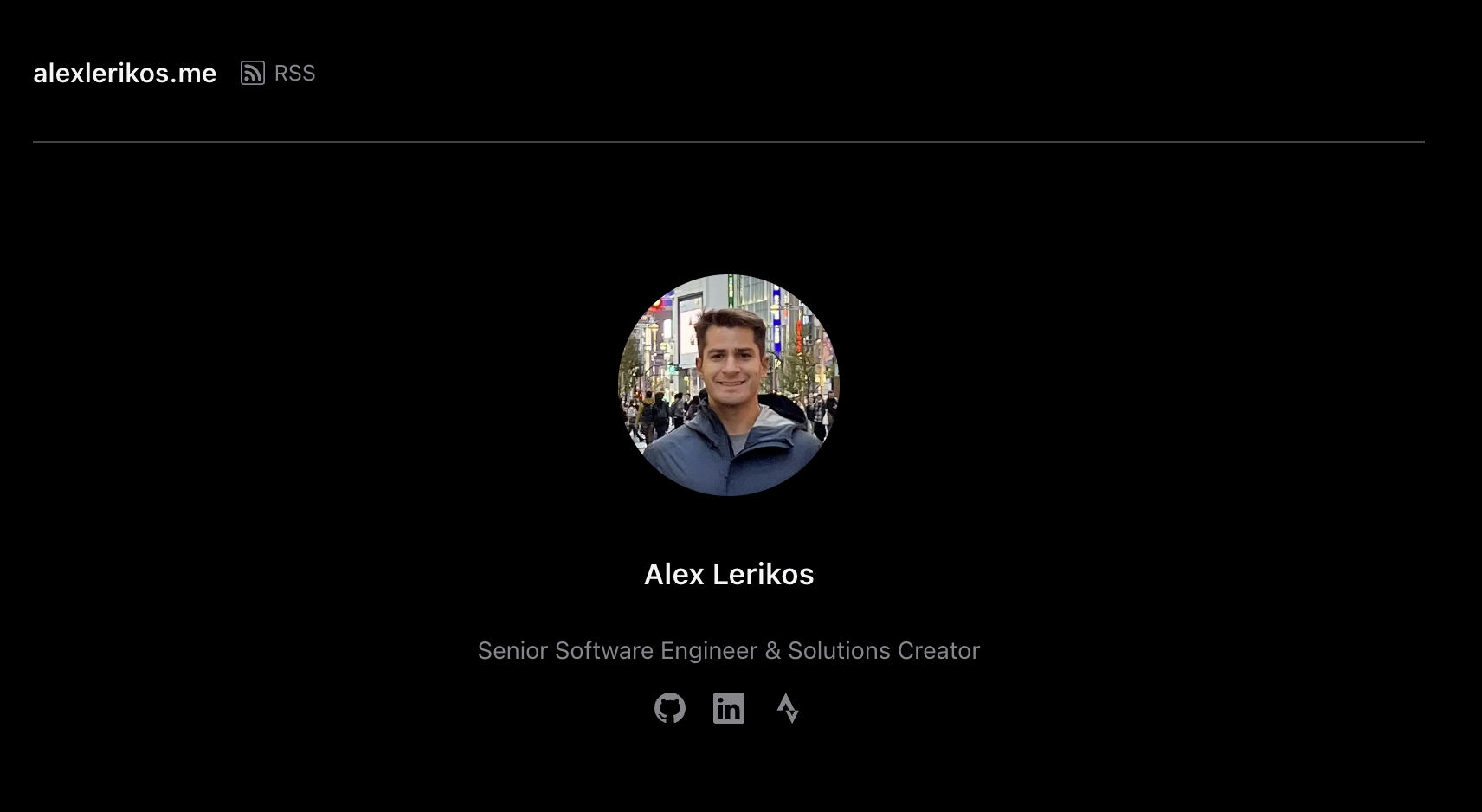
This was a good start. But as a developer who specializes in user experience implementation, I knew we could do better.
Design (with vibes)
To make a first-pass design, I used the recently updated4 Google Stitch to generate a mockup.
Google Stitch works as a website or mobile app generative UI service.
However, unlike services like Nano Banana or Midjourney, the generated
mockups are content-editable and can even be used to create basic
wireframes and UI flows similar to Figma. When you’re ready, you can
export an HTML file and a DESIGN.md file that can be used
to view this design in the browser and integrate into our project.
The DESIGN.md file allows our AI coding agents to have a
design language and reference to use when iterating on this project.
However, it’s not all sunshine and vibe-generated rainbows. As of the posting of this article, I found several issues trying to generate designs using this tool, particularly around iterating on each design via prompts. The tool would frequently forget the design language we had agreed upon, such as fonts and color scheme and return designs that are (I am assuming) are more adjusting for its model’s training data and not iterating on the previous design.
I ended up converging on the following design from Stitch. This would be a template I could iterate on in the next step:
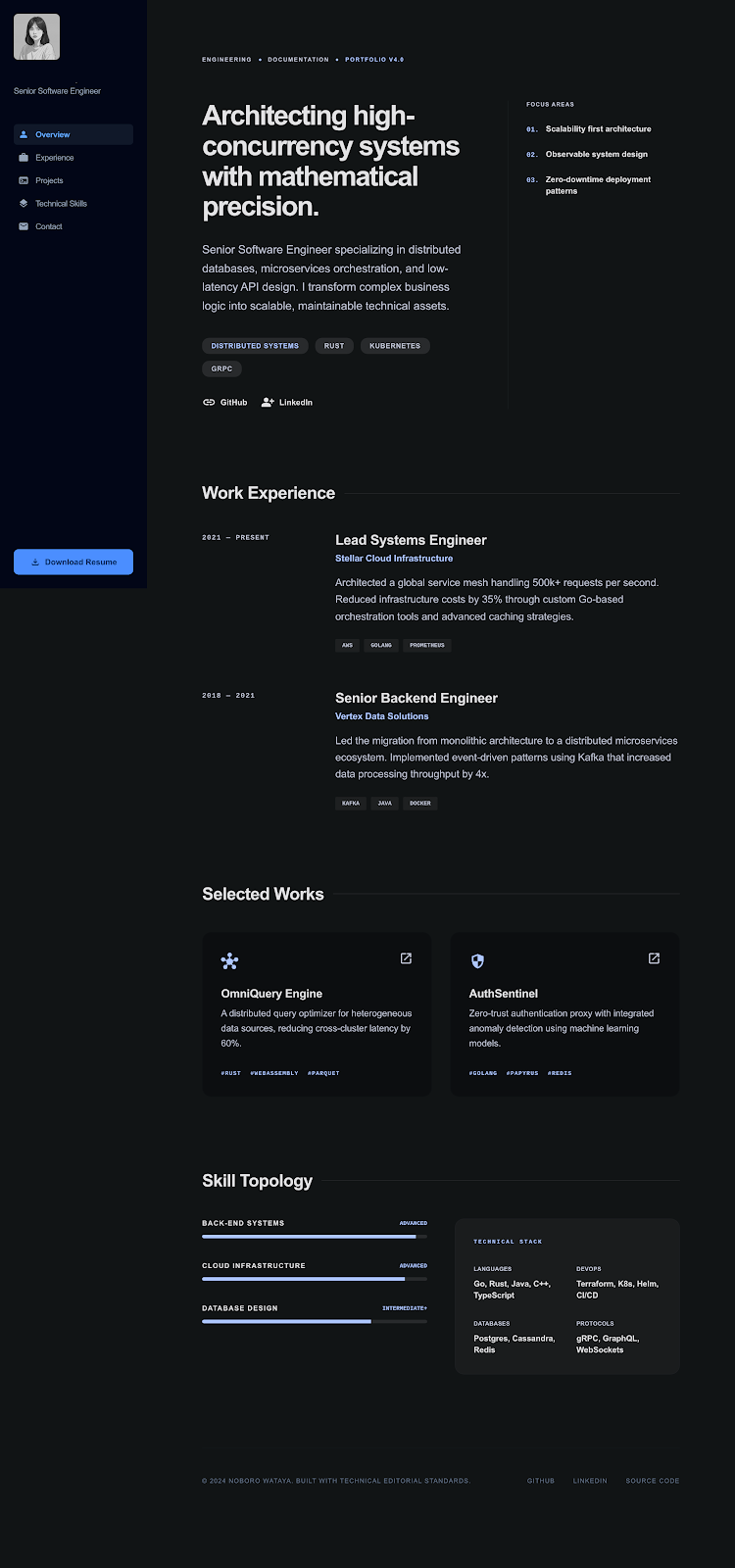
Next, export your design and get ready to start integrating into our website project.
Development (from slop to dorodango5)
With your HTML and DESIGN.md files in hand, we can now
begin integrating our website vision into a tangible project.
The following steps are how I went about integrating this. However feel free to do you. I’ll be the first to say my frontend web engineering experience is limited but I do have a functional understanding of HTML and CSS which I used to throw my coding agent along by implementing changes to the website layout, section by section.
We need to have our Stitch HTML template overwrite our project’s
./public/<website-domain>/index.template.html
file.
I instructed my coding agent in Plan mode to do the
following and proctored its decisions to fit the need of my port:
substitute my template.html file for the ./public/<website-domain>/index.template.html file. Keep the ability to publish articles under a section called "Writing"After this port was complete, I had the coding agent review the new
index.template.html file against the DESIGN.md
file for consistency.
To complete the site and content, I went through each section and
made updates to the index.template.html and the
style.css files to match my targeted layout.